


Live Street Camera View
3.5643.00 Reviews
App Specs
- Version
- 4.0.4
- Updated On
- License
- Free
- Downloads
- 5,000,000+
- Developer
- Quality App Zone
- Categories
- Maps & Navigation
- Platform
- Android, iOS
Screenshots
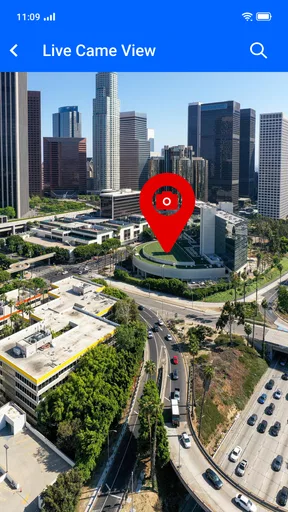
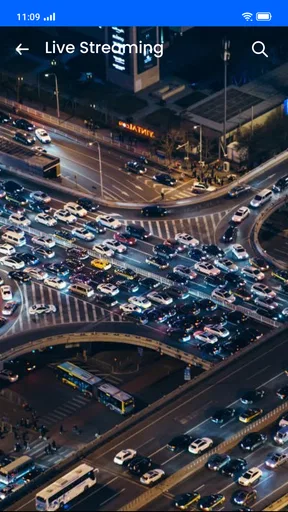
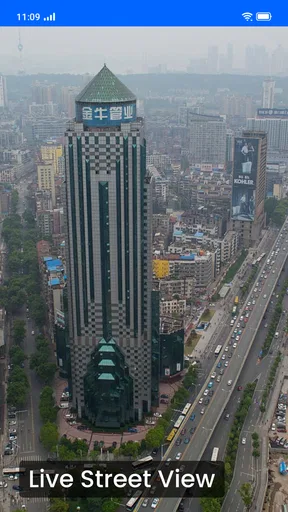
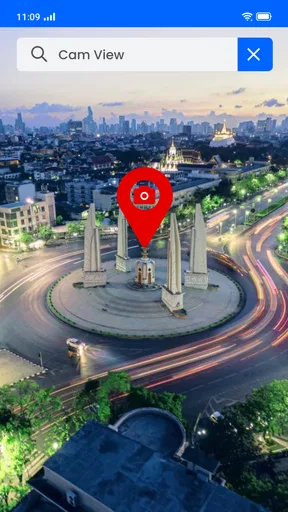

 Analysis by AppCompare
I usually turn to a map app when I need to get somewhere, but sometimes I want to see what a place feels like before I plan a visit. That curiosity is the appeal of Live Street Camera View: it offers a way to look around public places from a phone, rather than simply locating them on a map. I find that idea most useful for casual exploring, checking the character of a destination, or taking a short mental break in another part of the world.
Where the experience can snag
The first thing I’d keep in mind is that a camera view is only as helpful as the feed you happen to open. A location may be interesting, but the picture can vary with the camera and its connection. If a scene looks blurry, stalls, or does not show much activity, that does not necessarily mean the whole app is unusable; it may simply be a disappointing feed at that moment. I’d try another location before judging the experience.
It also helps to approach the app as a browsing tool, not as a dependable way to check a specific street before making a time-sensitive decision. A live-looking view can give a sense of place, but it is not a substitute for current directions, official travel notices, or a local source when accuracy matters. That distinction saves frustration: use it to satisfy curiosity, and use a navigation service for getting around.
The app sits in the maps and navigation category, but its appeal is closer to looking through a collection of street-camera views than following a route. It is made by Quality App Zone, is free to install, and is rated for Everyone. Its average rating is 3.2 from around 11 thousand ratings, so I would go in with measured expectations rather than assume every camera will be equally useful. More than 5 million installs suggest broad interest, but the practical value still depends on whether the places you want to see have feeds that work well for you.
Setup checks before exploring
When I try an app built around live views, I start with the simple checks rather than changing lots of settings at once. I make sure the phone has a working internet connection, then reopen the view that seemed slow. If it still struggles, I switch to another camera or location. This quick comparison helps distinguish a single weak feed from a broader connection problem without wasting time troubleshooting the wrong thing.
It is also worth checking that the app is current before drawing conclusions from a problem. The current version is 3.3.1.2, and the minimum Android requirement is 7.0. If you are using an older device, compatibility is worth checking before you plan around the app. On any device, leaving enough free space and closing a particularly busy session before reopening the app are sensible general steps when an app feels sluggish; they do not guarantee a better stream, but they can rule out common phone-side friction.
Although the app is free, it includes in-app purchases priced from $9.99 to $39.99 per item. I’d explore the free experience first and only consider spending if a paid option clearly matches what I want to do. That is a useful boundary for a casual viewer: there is no reason to treat a purchase as a prerequisite for deciding whether the basic idea suits you.
Worth Reading Before You Choose

EA SPORTS FC Mobile 26 Is a Bigger Football Game, but It Takes Time

Flipboard Shows What News Apps Must Do Beyond the Feed

Switching to Android Auto Means Rethinking Your Driving Routine

Google Calendar Makes a Crowded Week Easier to Manage

Ludo King Makes the Most of the Minutes Between Plans

Baby Panda World Brings Quick Play to Modern Phones, but Its Game Library Feels Busy
A smoother way to browse
Instead of hopping randomly between views, I’d give myself a small purpose for each session. For example, pick a city, compare a couple of public areas, and stop once you’ve got a feel for the surroundings. A simple plan keeps the map from becoming an endless scroll and makes it easier to tell whether the app is giving you something you actually enjoy.
If a chosen view does not load or looks unhelpful, I would back out and try a different location before repeatedly tapping the same spot. A second feed can be a practical comparison, not just a workaround: it shows whether the issue seems tied to one camera or to the whole browsing session. If several views behave poorly, checking the connection and reopening the app is more useful than assuming every listed place will look identical.
For a realistic everyday use, imagine you are considering a neighborhood for a future city break and want a quick visual impression while planning at home. You could open a public view, look at the surrounding street scene, and use that as a prompt for what to research next. I would not use a camera image alone to decide whether a route is safe, accessible, or currently open; for those questions, a current map, official information, or a local source is a better fit. The camera view is a starting point for curiosity, not a complete travel briefing.
There is a small but useful habit here: compare what you see with the purpose of your visit. A wide street scene may help you understand whether an area feels urban or open, while a view focused on a landmark may be more useful for recognizing a destination. Neither tells you everything about a place, and a static-looking moment can be misleading. I get the most from the app when I treat each image as one narrow window rather than a full report on a city.
When the app is not the cause
A camera feed can be affected by conditions outside your phone, so a slow or disappointing image is not automatically an app fault. If one view is unavailable while other parts of the app remain usable, the issue may be specific to that feed. If nothing loads, check whether other apps can reach the internet, then try again later. Those checks are simple, but they help avoid repeatedly reinstalling or changing settings without a clear reason.
There is also a difference between a live street view and the familiar map imagery in standard navigation tools. A conventional map is usually the better choice when you need routes, place labels, or a reliable way to reach an address. This app is more appealing when the goal is to look at a scene and explore visually. I would keep both kinds of tools in mind rather than expecting one to replace the other.
Who is it for? I think it suits curious travelers, people who enjoy casually observing public spaces, and anyone who wants a visual detour without turning that into a serious planning task. It is less suitable for someone who needs dependable traffic conditions, precise directions, or a guaranteed view of a particular event. In those situations, a dedicated navigation tool or an official local source is the more sensible choice.
Peek into the World
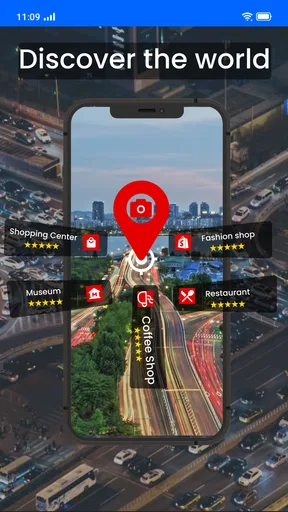
First things first, this app is about connecting you to global street cameras. It’s like having a window to the world that’s open whenever you feel like looking. You can choose from a range of locations, whether you’re interested in cityscapes, beaches, or well-known landmarks. I enjoy the basic idea: exploring a place visually without having to plan a trip around it.
Navigation and Interface
The interface is user-friendly, which is a huge plus. When you open the app, you’re greeted with a clean, simple layout. The search bar at the top helps you find specific locations quickly. Whether you’re tech-savvy or not, you’ll find it easy to navigate through the app. The categories are well-organized, making it a breeze to jump from one street view to another.
There’s also a handy map feature. You can explore cameras pinned on a global map, which feels a bit like a treasure hunt. It’s fun to scroll around and see what pops up. I found myself spending more time than I’d like to admit just hopping from one camera to another.
Quality and Real-Time Experience
Now, let’s talk about the quality. The video feeds are generally clear, though it depends on the camera’s location and network. Major cities usually have high-quality streams, giving you a crisp, real-time experience. It’s fascinating to see the hustle and bustle of different places live. However, some remote locations might have lower resolution, but that’s understandable.
One of the coolest features is the ability to zoom in on the scenes. This is perfect if you’re trying to catch a glimpse of something specific or just want a closer look at the action. It’s like being a fly on the wall, observing life unfold.
Customization and Alerts
Customization is where the app shines. You can set up your favorite locations and receive alerts for specific events or changes in scenery. I set an alert for a famous square in Rome, and let me tell you, getting a notification when something interesting is happening there is pretty thrilling.
There’s also an option to save screenshots of interesting scenes. This feature is fantastic for those who love capturing unique moments or just want to share the experience with friends and family.
Privacy and Safety
Of course, with any app that deals with live feeds, privacy is a concern. The developers have taken steps to ensure that all content is publicly accessible and adheres to privacy laws. You’re not going to be peeking into private properties or anything of that sort. The focus is on public spaces and landmarks.
It’s important to respect the guidelines and enjoy the app as it’s intended. The app doesn’t allow users to control the cameras, so there’s no risk of privacy invasion from other users either.
Final Thoughts
Overall, Live Street Camera View is a delightful way to explore the world from the comfort of your home. Whether you’re an armchair traveler or simply curious, it offers a different way to look at places around the globe. It’s an easy app to dip into when you want a quick visual change of scene.
While there are some limitations regarding camera quality in certain areas, the app’s appeal comes from browsing the locations that are accessible and finding views that interest you. I’d recommend trying it if you enjoy discovering places casually, while keeping a regular map app close by for directions and decisions that need more reliable information.
The app was released on April 15, 2020, and its age rating is Everyone. If you’re ready for a digital wander, you can find it through the app store for your device. I’d start with a few free views, see how well they suit your interests, and decide from there whether it deserves a regular place on your phone.
Pros
- Real-time global camera access
- User-friendly interface
- High-quality video streaming
- Wide variety of locations
- No subscription required
Cons
- Limited camera coverage
- Occasional buffering issues
- Ads can be intrusive
- Requires stable internet
- No offline viewing option
FAQs for Live Street Camera View
What is Live Street Camera View and how does it work?
Live Street Camera View is an app that allows users to view live feeds from street cameras around the world. By accessing geo-tagged cameras, users can explore different locations in real-time. The app aggregates feeds from publicly available cameras, providing a seamless experience for virtual travel and exploration.
Is Live Street Camera View free to use, or does it require a subscription?
Live Street Camera View offers both free and premium versions. The free version provides access to a limited selection of cameras, while the premium subscription unlocks additional features such as high-definition streams, ad-free browsing, and access to exclusive camera feeds. Users can choose a plan that suits their needs.
What are the main features of Live Street Camera View?
The app offers a variety of features, including live streaming from various locations worldwide, a user-friendly interface, and the ability to save favorite camera feeds. It also includes map integration for easy navigation and options to share interesting views with friends through social media platforms.
How does Live Street Camera View ensure user privacy and data security?
Live Street Camera View prioritizes user privacy by only accessing publicly available camera feeds, ensuring that no private or unauthorized cameras are included. The app complies with data protection regulations and does not collect personal information without user consent, maintaining a secure and private user experience.
Can I use Live Street Camera View on both Android and iOS devices?
Yes, Live Street Camera View is available for both Android and iOS platforms. Users can download the app from the Google Play Store or Apple App Store, ensuring compatibility across a wide range of devices. Regular updates ensure optimal performance and the inclusion of new features.


